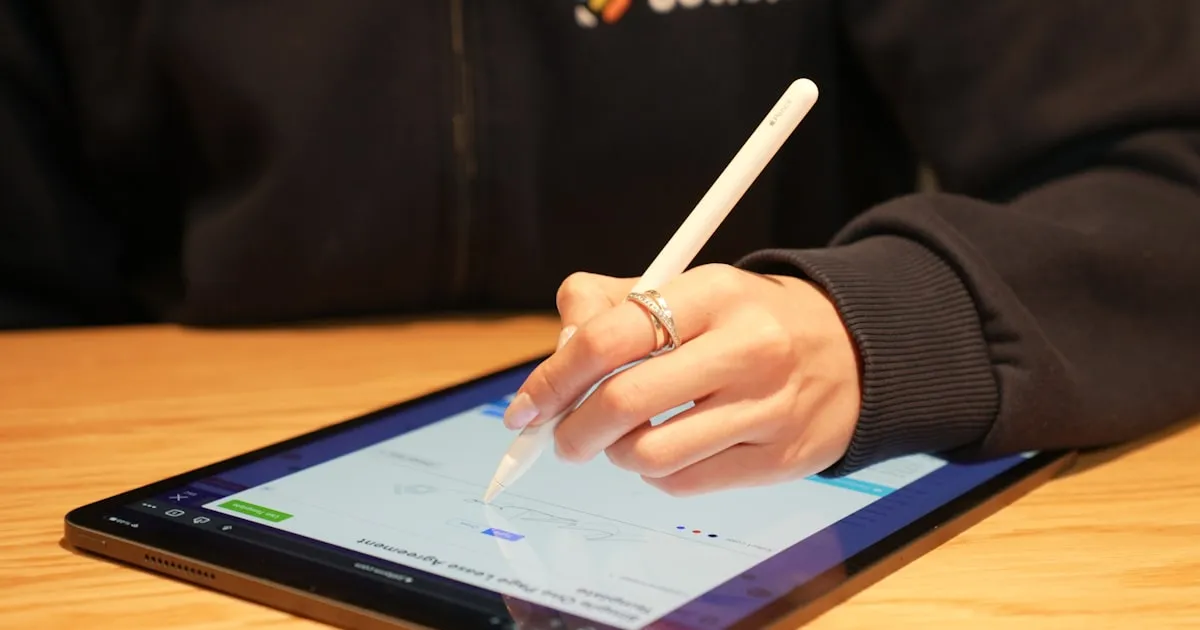
Every day, millions of people receive a PDF form by email, print it, fill it out by hand, sign it with a pen, scan it back into their computer, and email the result. The entire process takes ten to fifteen minutes, consumes paper and ink, requires a printer and a scanner, and produces a document that is often blurry, crooked, and harder to read than the original.
This workflow made sense in 1998. It does not make sense in 2026.
Why People Still Print PDFs to Fill Them
The print-sign-scan reflex is deeply ingrained, and for understandable reasons. For decades, PDFs were genuinely read-only. The format was designed to preserve a document's appearance, not to be edited. If you needed to add information to a PDF, printing was the only option.
Three factors keep this habit alive:
- Lack of awareness: many people simply do not know that you can type directly into any PDF using browser-based tools. The technology exists but is not widely advertised.
- Confusion about form types: some PDFs have built-in interactive fields (you can click and type), while most are "flat" — static images of forms with no interactive elements. People who encounter a flat PDF assume it cannot be filled digitally.
- Signature anxiety: there is a persistent belief that a signature must be made with a physical pen on physical paper to be "real." This has not been true for over two decades.
The Hidden Cost of Print-Sign-Scan
The print-sign-scan workflow seems cheap and quick. In reality, the costs accumulate:
Time: printing, filling by hand, scanning, and emailing takes 10-15 minutes per form. For someone who processes five forms a week, that is over 40 hours a year.
Money: printer ink is one of the most expensive liquids on earth — roughly $2,700 per liter for brand-name cartridges. Add paper, electricity, scanner maintenance, and replacement cartridges.
Quality: handwritten text is often illegible. Scans are frequently crooked, blurry, or cut off. Recipients sometimes ask for the form to be redone.
Environment: the average office worker uses 10,000 sheets of paper per year. A significant portion of that is print-sign-scan cycles that could be entirely eliminated.
| Factor | Print-Sign-Scan | Digital Filling |
|---|---|---|
| Time per form | 10-15 min | 2-3 min |
| Equipment needed | Printer + scanner | Browser |
| Cost per form | ~€0.30-0.50 | €0 |
| Legibility | Variable | Always clean |
| Environmental impact | Paper + ink waste | None |
How Digital Filling Works
The concept is straightforward: instead of printing a PDF and writing on it with a pen, you open it in a browser-based editor and type on it with your keyboard. The tool lets you place text, checkmarks, dates, and signatures anywhere on the document — even on "flat" PDFs that have no built-in form fields.
The key insight is that you are not editing the original PDF content. You are adding a layer on top of it. The original document remains untouched underneath; your typed text and signature sit above it, exactly where the blank fields are. The result is a new PDF that looks like a perfectly filled-out form.
This works for every type of PDF form: government paperwork, rental applications, medical intake forms, school permission slips, employment contracts, insurance claims.
Flat vs. interactive PDFs An interactive PDF has built-in fields you can click and type into. A flat PDF does not — it is essentially a picture of a form. Both can be filled digitally, but flat PDFs require an editor that lets you place text freely on the page. Most browser-based PDF editors handle both types seamlessly.
The Legal Validity of Digital Signatures
The most common reason people print PDFs is to add a handwritten signature. But electronic signatures have been legally equivalent to handwritten ones in most of the world for over twenty years:
- United States: the ESIGN Act (2000) and UETA give electronic signatures the same legal standing as ink signatures for most transactions
- European Union: the eIDAS Regulation (2014) establishes a framework where electronic signatures are legally binding across all 27 member states
- United Kingdom: the Electronic Communications Act (2000) recognizes electronic signatures
- Canada, Australia, Japan, Brazil and dozens of other countries have similar legislation
The exceptions are narrow and specific: wills, certain notarized documents, some real estate transfers, and specific court filings may still require wet ink. For everyday documents — contracts, forms, applications, consent forms, invoices — digital signatures are universally accepted.
A digital signature created by drawing with your mouse, typing your name in a script font, or uploading an image of your signature is legally valid. It does not need to be created by expensive e-signature software like DocuSign or Adobe Sign. What matters legally is the intent to sign, not the method used to produce the signature.
The Shift to Paperless
The trend is unmistakable. Governments, banks, healthcare providers, and corporations are all moving toward paperless workflows. France's FranceConnect system processes millions of digital signatures annually. The EU's eIDAS 2.0 regulation is expanding the scope of recognized digital identity and signature tools.
Organizations that still require printed, hand-signed forms are increasingly the exception rather than the rule. When they do, it is usually because of institutional inertia, not legal requirement. Many government agencies that used to require original wet signatures now explicitly accept digitally filled and signed PDFs.
This shift benefits everyone:
- Citizens save time and avoid the frustration of print-sign-scan
- Organizations receive legible, consistently formatted documents that are easier to process
- The environment benefits from less paper waste, fewer printers running, and reduced transportation of physical documents
When Printing Is Still Necessary
In the spirit of honesty, there are situations where a physical signature remains required:
- Notarized documents that must be signed in the physical presence of a notary
- Certain real estate transactions in jurisdictions that mandate wet ink
- Specific court filings where rules of procedure require original signatures
- Witnessed documents where a witness must see you physically sign
These represent a small fraction of the forms most people encounter. For everything else, the printer can stay off.
Going Further
If you are still printing PDFs to fill them out, today is a good day to stop. The tools exist, they are free, they run in your browser, and the results are cleaner and more professional than anything you can produce with a pen and a scanner.
Explore the PDF editing tools and tutorials available on this site to learn how to fill, sign, and manage your documents entirely digitally. Your printer — and the planet — will thank you.